
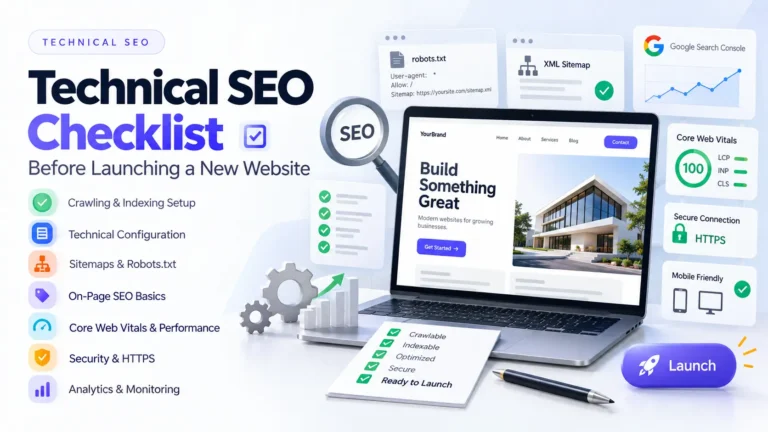
Technical SEO Checklist Before Launching a New Website
Launching a new website is exciting. The design is approved. The content is uploaded. The buttons work. The contact form has been tested. Then the website goes live. A few days later, you discover that Google isn’t indexing some of your pages. Or the old URLs weren’t redirected. Or the XML sitemap contains staging URLs. Or the production website still has a noindex directive left over from development.
These aren’t theoretical problems. They are the kinds of issues that can turn a successful website launch into an SEO cleanup project.
I’ve worked on website development, redesigns, performance optimization, and SEO projects where technical details that looked minor during development ended up having a much bigger impact after launch.
That’s why technical SEO shouldn’t be something you check after launching a website.
It should be part of the launch process itself.
In this guide, I’ll walk you through a practical technical SEO checklist before launching a new website, covering crawlability, indexing, URLs, redirects, metadata, structured data, performance, mobile usability, security, analytics, and post-launch monitoring.
Why Technical SEO Should Be Checked Before Launch
Google’s basic technical requirements are surprisingly straightforward: Googlebot needs to be able to access the page, the page needs to return a successful response, and the page needs to contain indexable content. Meeting those requirements doesn’t guarantee indexing, but failing them can prevent a page from being eligible for indexing in the first place.
The problem is that website launches involve a lot of moving parts.
A developer may be focused on:
- Design
- Functionality
- Forms
- APIs
- Database configuration
- Hosting
- Deployment
An SEO specialist may be focused on:
- URLs
- Metadata
- Redirects
- Indexing
- Structured data
- Internal linking
A business owner may simply be asking:
“Is the website ready to launch?”
A proper technical SEO checklist connects all three perspectives.
The Technical SEO Pre-Launch Checklist
Here’s the checklist I recommend running before pressing the publish button.
1. Confirm the Production Domain
Before launch, confirm exactly which domain will be the primary version.
For example:
https://example.comhttps://www.example.com
Choose the preferred version and make sure alternative versions resolve consistently.
Also check:
- HTTP → HTTPS
- WWW → non-WWW or vice versa
- Trailing slash consistency
- DNS configuration
- SSL certificate
- Production URLs
- Staging URLs
You don’t want Google discovering multiple versions of the same website.
2. Remove Staging noindex Rules
This is one of the most important launch checks.
During development, developers commonly prevent search engines from indexing staging websites using:
<meta name="robots" content="noindex">
That’s completely reasonable on a private development environment.
The problem occurs when the same directive survives the production deployment.
A page containing a valid noindex directive can be removed from Google’s search results when Googlebot can crawl and see that directive.
Before launch, check:
- Meta robots tags
X-Robots-TagHTTP headers- CMS indexing settings
- SEO plugin settings
- Staging environment configuration
- Password protection
Checklist:
- Production pages are indexable
- Important pages don’t contain
noindex - No staging environment is being referenced
- Production isn’t password protected
X-Robots-Tagisn’t accidentally blocking indexing
This one check can save weeks of confusion.
3. Check robots.txt
Your robots.txt file tells crawlers which URLs or paths they are allowed to request.
A common launch mistake is accidentally carrying a staging rule such as:
User-agent: *
Disallow: /
That effectively tells crawlers not to crawl the site.
Google explains that robots.txt controls crawler access, while noindex is the appropriate mechanism when you want a crawlable page excluded from Google’s index.
Before launch:
robots.txtexists- Important pages aren’t blocked
- Staging-only rules are removed
- Admin areas are handled appropriately
- Important assets aren’t accidentally blocked
- Sitemap location is included where appropriate
Don’t use robots.txt as a replacement for canonicalization or noindex.
4. Generate and Check the XML Sitemap
Your XML sitemap should help search engines discover the URLs you actually want indexed.
Before launch, make sure it contains:
- Canonical URLs
- Live URLs
- Indexable pages
- Correct HTTPS URLs
- Correct production domain
It shouldn’t contain:
- 404 pages
- Redirect URLs
- Staging URLs
noindexpages- Duplicate URLs
Google describes sitemaps as a way to provide information about important pages and files and recommends absolute URLs in submitted sitemaps. A sitemap helps discovery, but it does not guarantee indexing.
After launch:
- Open Google Search Console.
- Go to Sitemaps.
- Submit or verify your sitemap.
- Check for errors.
- Monitor indexing.
5. Verify Canonical URLs
Canonicalization tells search engines which URL represents the preferred version of substantially similar content.
For example, your website might accidentally expose:
/example/
/example
/example/?source=google
http://example.com/example/
/https://www.example.com/example/
You don’t want your site architecture creating unnecessary ambiguity.
Google considers signals including redirects, rel="canonical" annotations, and sitemap inclusion when determining canonical URLs. However, a canonical declaration is a hint, not an absolute command.
Before launch:
- Important pages have the correct canonical
- Canonicals use production URLs
- HTTP isn’t declared canonical
- Staging URLs aren’t canonical
- Canonicals aren’t pointing to unrelated pages
- Sitemap URLs and canonical URLs are consistent
6. Build a 301 Redirect Map
If you’re launching a completely new website, this is still important.
If you’re replacing an existing website, it becomes critical.
Before changing URLs, create a spreadsheet containing:
| Old URL | New URL | Redirect |
|---|---|---|
/about-old/ |
/about/ |
301 |
/services-old/ |
/services/ |
301 |
/contact-us/ |
/contact/ |
301 |
Every important old URL should have a clear destination.
Avoid redirect chains such as:
Old URL
↓
Redirect A
↓
Redirect B
↓
New URL
Ideally:
Old URL
↓
New URL
This becomes especially important during website redesigns. If you’re planning a redesign, see Website Redesign Without Losing SEO Rankings.
7. Check HTTP Status Codes
Every important URL should return the expected HTTP status.
Typical responses include:
200→ page works301→ permanent redirect302→ temporary redirect404→ page doesn’t exist410→ content permanently gone500→ server error
Google’s technical requirements specifically require a page to work successfully and return an HTTP 200 response for it to be eligible for indexing.
Before launch, crawl the staging website and identify:
- 4xx errors
- 5xx errors
- Redirect chains
- Redirect loops
- Broken assets
- Broken internal links
8. Review Your URL Structure
Your URLs should make sense to both users and search engines.
Prefer:
/example.com/technical-seo-checklist/
over:
/example.com/page?id=1938
Good URLs are generally:
- Descriptive
- Consistent
- Readable
- Stable
- Easy to share
Avoid changing URLs unnecessarily after launch.
A well-planned URL structure also makes future website migrations much easier.
9. Check Page Titles and Meta Descriptions
Every important indexable page should have a meaningful title.
Avoid:
Home
Page 1
Untitled
Services
when a more descriptive title is appropriate.
For example:
Technical SEO Checklist Before Launching a New Website
is much more informative.
Check:
- Unique title
- Accurate title
- Main topic reflected naturally
- Meta description written
- No duplicate metadata
- Important pages aren’t missing metadata
Don’t turn titles into keyword lists.
Write them for people first.
10. Check Heading Structure
Review the heading hierarchy.
A page should have a clear primary topic and logical subtopics.
For example:
H1
Technical SEO Checklist Before Launching a New Website

H2
Crawlability and Indexing

H2
Technical Configuration

H2
Performance

H3
Core Web Vitals

H2
Security

H2
Analytics
Don’t choose headings simply because they look visually attractive.
Use CSS to control appearance.
Use headings to communicate structure.
11. Test Internal Links
Internal links help users navigate your website and help search engines discover related content. Google’s crawling documentation specifically notes that important pages should be reachable through links.
Before launch, click through:
- Navigation
- Footer links
- Breadcrumbs
- Blog links
- Service links
- CTA buttons
- Related articles
- Product/category links
Check for:
- 404 errors
- Wrong URLs
- Staging URLs
- HTTP links
- Redirected internal links
- Orphan pages
Don’t wait until after launch to discover that half your footer still points to the old website.
12. Check Structured Data
Structured data provides search engines with additional context about your content.
Depending on the website, useful types can include:
- Article
- Breadcrumb
- Organization
- LocalBusiness
- Product
- Review
- Event
Only implement schema that genuinely describes the visible page content.
Google recommends validating structured data with the Rich Results Test and checking how Google sees the page through URL Inspection. Structured data can make pages eligible for certain enhanced search appearances, but Google does not guarantee that those enhancements will appear.
For a blog, an Article schema is usually more relevant than adding every possible schema type.
13. Optimize Images Before Launch
Large images can significantly increase page weight.
Before uploading:
- Resize images
- Compress them
- Use modern formats where appropriate
- Provide meaningful alt text
- Use responsive image sizes
- Lazy-load non-critical images
Don’t upload a 5000px photograph if the website displays it at 900px.
Image optimization is especially important for the homepage hero section because large above-the-fold images can affect loading performance.
If you’re working with WordPress, my guide Why Your WordPress Website Is Slow (And How to Fix It) covers more practical performance improvements.
14. Check Core Web Vitals
Performance should be tested before launch, not after customers start complaining.
The three Core Web Vitals are:
- LCP: loading performance
- INP: responsiveness
- CLS: visual stability
Google recommends:
- LCP: 2.5 seconds or less
- INP: less than 200 milliseconds
- CLS: 0.1 or less
These thresholds represent a good user experience, although good Core Web Vitals alone do not guarantee high search rankings.
For a business-friendly explanation, see Core Web Vitals Explained for Business Owners.
Test important templates rather than checking only the homepage.
For example:
- Homepage
- Service page
- Blog article
- Product page
- Contact page
- Checkout page
15. Test Mobile Experience
Google uses the mobile version of a site as the basis for indexing.
That means mobile isn’t an optional “nice to have.”
Test your website on:
- Android phones
- iPhones
- Tablets
- Different screen widths
- Touch interfaces
Check:
- Navigation
- Buttons
- Forms
- Menus
- Typography
- Images
- Tables
- Popups
- Cookie banners
- Sticky elements
A website can look perfect on a developer’s 27-inch monitor and still be frustrating on a 6-inch phone.
16. Verify HTTPS
Your production website should use HTTPS.
Check:
- SSL certificate
- HTTP → HTTPS redirects
- Mixed content
- Secure forms
- Secure assets
- Correct canonical URLs
Google recommends HTTPS as part of providing a secure experience.
Don’t assume the SSL certificate is enough.
Check the actual live website.
17. Check JavaScript Rendering
Modern websites increasingly rely on JavaScript.
That’s fine.
But important content shouldn’t become inaccessible simply because JavaScript fails or isn’t rendered as expected.
Modern development workflows are also increasingly incorporating AI-assisted development and “vibe coding” approaches. If you’re interested in how AI is changing the way developers build websites and web applications, read Vibe Coding & AI-Powered Web Development: The Future is Already Here
Check whether search engines and users can access:
- Navigation
- Main content
- Internal links
- Product information
- Headings
- Structured data
- Important calls to action
Google documents that JavaScript websites have additional considerations around how crawlers access and render content.
If you’re less familiar with the technologies behind modern websites, my Web Development Basics: Beginner’s Guide to HTML, CSS & JavaScript explains how HTML, CSS, and JavaScript work together to create a website.
18. Check Accessibility
Accessibility isn’t just an SEO checkbox.
It’s part of building a usable website.
Before launch, check:
- Keyboard navigation
- Form labels
- Focus states
- Colour contrast
- Alt text
- Heading hierarchy
- Button labels
- Accessible navigation
- Error messages
A website that works well for more people is generally a better website.
19. Check 404 and Error Pages
Your 404 page should actually return a 404 status.
Don’t create a visually attractive “Page Not Found” page that returns 200 OK.
The page should help visitors recover by providing options such as:
- Homepage
- Search
- Main navigation
- Popular content
- Relevant categories
A useful 404 page turns a dead end into another opportunity to navigate.
20. Configure Analytics Before Launch
Don’t launch the website and then remember analytics three days later.
Set up the measurement infrastructure before launch.
Depending on your project, this may include:
- Google Analytics 4
- Google Tag Manager
- Google Search Console
- Conversion tracking
- Form submissions
- Phone clicks
- Email clicks
- E-commerce events
Test the events.
Don’t assume they work simply because the tracking code exists.
21. Verify Conversion Tracking
SEO traffic is useful.
Knowing what that traffic does is even more useful.
Track meaningful business actions such as:
- Contact form submissions
- Quote requests
- Phone calls
- Email clicks
- Purchases
- Account registrations
- Downloads
- Booking requests
Your website should measure business outcomes, not just pageviews.
22. Check Open Graph and Social Metadata
When someone shares a page on LinkedIn, Facebook, X, or another platform, you want the correct:
- Title
- Description
- Image
- URL
Check Open Graph metadata for important pages.
A technically perfect page can still look terrible when shared if the social preview uses the wrong image or an old title.
23. Check Favicon and Brand Assets
This isn’t directly a ranking factor, but it is part of launch quality.
Check:
- Favicon
- Apple touch icon
- Logo
- Social sharing image
- Browser title
- Brand consistency
Small details affect perceived professionalism.
24. Check Your XML Sitemap After Deployment
This deserves a second check.
Why?
Because staging and production environments can generate different URLs.
After deployment, open the actual production sitemap.
Confirm:
- Production domain
- HTTPS
- Correct URLs
- No staging URLs
- No redirects
- No 404s
- No accidental
noindexpages
Then submit it through Search Console.
25. Crawl the Production Website
Don’t stop at staging.
Once the website is live, perform another crawl.
Use tools such as:
- Screaming Frog
- Sitebulb
- Google Search Console
- PageSpeed Insights
Compare production against staging.
Look specifically for:
- Missing pages
- Broken links
- Redirects
- Canonical changes
- Metadata changes
- Indexability problems
- Server errors
- Unexpected URL changes
The production environment is the environment that matters.
Launch-Day Technical SEO Checklist
Use this as your final go/no-go list:
Indexing
- No accidental
noindex - Robots.txt is correct
- Googlebot can access important pages
- Production domain is live
- Sitemap is accessible
URLs
- URL structure is finalized
- Canonicals are correct
- Redirects are working
- No redirect chains
- 404 pages return 404
On-Page SEO
- Unique titles
- Meta descriptions
- Correct H1
- Logical headings
- Optimized images
- Internal links
Performance
- Core Web Vitals tested
- Images optimized
- CSS optimized
- JavaScript tested
- Caching configured
- Mobile performance checked
Security
- HTTPS working
- No mixed content
- SSL certificate valid
- Admin access secured
- Production credentials protected
Measurement
- Google Analytics configured
- Google Search Console verified
- Conversion tracking tested
- Important forms tested
- E-commerce tracking tested where applicable
What to Check After Launch
SEO doesn’t stop when the deployment finishes. Launching a technically sound website is only the beginning. You also need to monitor indexing, organic visibility, content performance, and search traffic over time. For a broader look at building sustainable search visibility, read You Belong With SEO: How to Build Long-Lasting Google Rankings.
The first few days after launch are extremely important.
Within the First 24 Hours
Check:
- Website accessibility
- Robots.txt
- Sitemap
- HTTPS
- Forms
- Analytics
- Search Console
- Critical redirects
- Important pages
Within the First Week
Monitor:
- Indexed pages
- Crawl errors
- Search Console warnings
- Server errors
- Organic traffic
- Rankings
- Redirects
- Core Web Vitals
- Conversion tracking
Google notes that crawling and indexing can take time, so don’t panic if a newly launched page doesn’t appear in Search immediately. The important thing is to continue monitoring your site’s visibility and technical health rather than treating launch day as the end of your SEO work. For more practical SEO guidance on maintaining your search visibility, see You Belong With SEO: Making Sure Google Can’t Shake You Off. Use Search Console’s URL Inspection tool to understand how Google sees important URLs and request crawling when appropriate.
New Website vs Website Redesign
There’s an important difference.
With a brand-new website, you’re establishing your technical foundation.
With a redesign or migration, you’re also protecting existing SEO equity.
That means a redesign requires additional checks around:
- Existing URLs
- Backlinks
- Redirects
- Existing rankings
- Canonical URLs
- Indexed pages
- Sitemap changes
- Internal links
If you’re redesigning an existing website, read Website Redesign Without Losing SEO Rankings before changing your URL structure.
The Biggest Technical SEO Mistakes Before Launch
If I had to narrow the entire checklist down to the problems I would never want to discover after launch, they would be:
1. Staging noindex left enabled
Your website exists, but search engines are being told not to index it.
2. Incorrect robots.txt
Important content becomes inaccessible to crawlers.
3. Missing redirects
Old URLs suddenly become 404s.
4. Wrong canonical URLs
Pages point search engines toward the wrong version.
5. Sitemap contains staging or broken URLs
Your discovery signals don’t match your actual website.
6. Poor mobile experience
The website works on desktop but breaks on phones.
7. Slow performance
The website launches with avoidable performance problems.
8. Analytics wasn’t tested
The website generates leads, but nobody knows where they came from.
9. Broken internal links
Users and crawlers encounter dead ends.
10. No post-launch monitoring
Problems remain unnoticed for weeks.
These are exactly the kinds of technical SEO issues developers should catch before launch. For a deeper look at the technical problems developers commonly introduce during development, read 10 Technical SEO Mistakes Developers Still Make in 2026. For a broader look at common development mistakes, read 10 Technical SEO Mistakes Developers Still Make in 2026.
Final Thoughts
A website launch isn’t finished when the developer clicks Deploy.
It’s finished when the production website has been checked from the perspective of:
- Users
- Search engines
- Developers
- Business owners
- Analytics
- Security
- Performance
Technical SEO should be part of the development workflow from the beginning, not a task added after the website has already gone live.
Before launch, make sure your website is:
- Crawlable.
- Indexable.
- Fast.
- Mobile-friendly.
- Secure.
- Well-structured.
- Measurable.
And then check it again after launch.
Because sometimes the most important SEO problems aren’t visible in the design.
They are hiding in the code, headers, redirects, configuration, and deployment environment.
If you need help building or optimizing a technically sound website, explore my Web Development Services or get in touch to discuss your project.
Frequently Asked Questions
-
What should I check before launching a new website for SEO?
Check crawlability, indexing directives, robots.txt, XML sitemap, canonical URLs, redirects, metadata, internal links, structured data, Core Web Vitals, mobile usability, HTTPS, analytics, and conversion tracking.
-
What is the most common SEO mistake before launching a website?
One of the most damaging launch mistakes is accidentally leaving staging restrictions such as noindex or Disallow: / enabled on the production website.
-
Should I submit my sitemap when launching a new website?
Yes. After confirming that the sitemap contains the correct production URLs, submit it through Google Search Console. A sitemap helps Google discover URLs, but submitting one doesn’t guarantee indexing.
-
Should I check Core Web Vitals before launching?
Yes. Test important page templates before launch and again after deployment. Google recommends good Core Web Vitals as part of providing a strong page experience, but good scores alone don’t guarantee high rankings.
-
Do I need redirects when launching a new website?
If existing URLs are being changed, yes. Create a redirect map and send important old URLs to their relevant new destinations using permanent redirects.
-
What is a canonical URL?
A canonical URL is the preferred version of a page when multiple URLs contain duplicate or substantially similar content. Canonicalization helps search engines understand which URL should represent the content.
-
How long does it take Google to index a new website?
There is no fixed timeframe. Google must discover, crawl, and evaluate the pages, and meeting technical requirements does not guarantee indexing. Search Console’s URL Inspection tool can help you check how Google sees individual URLs.
-
Does technical SEO guarantee higher Google rankings?
No. Technical SEO helps remove crawling, indexing, rendering, and performance barriers, but rankings depend on many factors. Google explicitly notes that meeting its technical requirements does not guarantee crawling, indexing, or serving in Search.