
Search engine optimization has evolved significantly over the past few years. While content quality remains essential, technical SEO has become equally important in determining how well a website performs in search results.
Surprisingly, many websites still suffer from the same technical issues that have existed for years. During website audits and development projects, I regularly come across websites with broken redirects, poor Core Web Vitals, duplicate content, crawl issues, and JavaScript rendering problems. These mistakes not only affect search rankings but also reduce user experience and business conversions.
The good news is that most of these issues are entirely preventable.
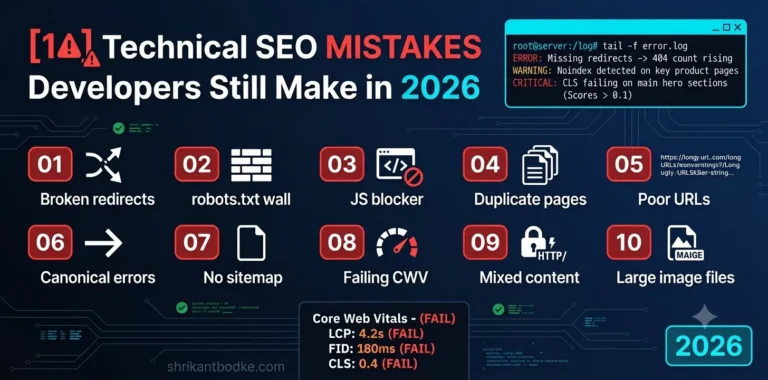
In this guide, I’ll cover ten technical SEO mistakes developers still make in 2026 and explain how you can avoid them.
1. Ignoring Core Web Vitals
A beautiful website is useless if it takes too long to load.
Google continues to prioritize user experience, making Core Web Vitals an important part of technical SEO.
The three metrics to monitor are:
- Largest Contentful Paint (LCP)
- Interaction to Next Paint (INP)
- Cumulative Layout Shift (CLS)
Common causes include:
- Large hero images
- Render-blocking CSS
- Heavy JavaScript
- Slow hosting
- Excessive third-party scripts
Always test your website using:
- Google PageSpeed Insights
- Google Search Console
- Lighthouse
If your WordPress website feels slow, check out my guide on Why Your WordPress Website Is Slow (And How to Fix It) for practical optimization tips.
For a deeper understanding of how website speed affects SEO, conversions, and user experience, read Why Web Performance Matters and How to Make Your Site Faster.
2. Poor URL Structure
Developers sometimes create URLs like:
/page?id=2857
instead of
/technical-seo-checklist/
SEO-friendly URLs should be:
- Short
- Descriptive
- Keyword-focused
- Easy to read
Avoid unnecessary numbers, dates, and special characters.
3. Missing or Incorrect Redirects
Website redesigns often introduce broken URLs.
If pages are moved without proper 301 redirects, search engines and users encounter 404 errors.
This results in:
- Lost rankings
- Broken backlinks
- Poor user experience
Every migration should include a complete redirect plan.
If you’re planning a redesign, read Website Redesign Without Losing SEO Rankings before making structural changes.
4. Blocking Search Engines Accidentally
One of the most damaging mistakes is accidentally blocking search engines.
Common examples include:
- Incorrect robots.txt rules
- Noindex tags left from staging environments
- Password-protected production sites
Always verify:
- robots.txt
- meta robots directives
- XML sitemap
- Search Console indexing status
before launching a website.
5. Poor Internal Linking
Many websites publish great content but fail to connect related pages.
Internal links help:
- distribute authority
- improve crawlability
- increase time on site
- guide users through relevant topics
For example:
A blog about website speed should naturally link to articles about:
- website redesign
- Core Web Vitals
- SEO tools
- technical SEO
Building topic clusters strengthens topical authority.
6. Duplicate Content
Duplicate content still appears more frequently than expected.
Common sources include:
- HTTP vs HTTPS versions
- WWW vs non-WWW
- Pagination
- Tag archives
- Printer-friendly pages
Use canonical tags wherever appropriate.
Search engines need a clear indication of the preferred version of each page.
7. JavaScript-Heavy Websites
Modern JavaScript frameworks are powerful but can introduce SEO challenges if implemented incorrectly.
Issues include:
- delayed rendering
- missing HTML content
- blocked resources
- inaccessible navigation
If search engines cannot properly render your content, rankings may suffer.
Whenever possible:
- use server-side rendering
- implement static generation
- test rendered HTML
8. Missing Structured Data
Schema markup helps search engines better understand your content.
Useful schema types include:
- Article
- FAQ
- Breadcrumb
- Person
- Organization
- Local Business
Proper structured data can improve visibility in rich results and AI-powered search experiences.
9. Oversized Images
Large images continue to be one of the biggest causes of poor performance.
Best practices:
- Use WebP
- Compress before upload
- Serve responsive image sizes
- Lazy load below-the-fold images
Fast websites provide better experiences for both users and search engines.
10. Forgetting Technical SEO After Launch
Many businesses believe SEO ends once a website goes live.
In reality, technical SEO requires ongoing monitoring.
Regularly check:
- Crawl errors
- Broken links
- Index coverage
- Core Web Vitals
- Page speed
- XML sitemap
- Security issues
A website should be treated as a living project, not a one-time launch.
Consistency is just as important as optimization. After launch, continue monitoring technical issues and content quality to maintain your visibility. My article You Belong With SEO: Making Sure Google Can’t Shake You Off explains how to build an SEO strategy that stays resilient through Google’s algorithm updates.
Technical SEO Checklist
Before publishing or launching any website, confirm the following:
✅ XML sitemap is submitted
✅ Robots.txt is correct
✅ Pages are indexable
✅ Canonical tags are implemented
✅ Meta titles and descriptions are unique
✅ Images are optimized
✅ Core Web Vitals pass
✅ Structured data validates
✅ Internal links are working
✅ 301 redirects are configured
Final Thoughts
Technical SEO isn’t about chasing algorithms. It’s about building websites that are fast, accessible, easy to crawl, and enjoyable to use.
Many ranking issues aren’t caused by poor content but by technical problems that prevent search engines from understanding or efficiently crawling a website.
By avoiding these common mistakes and making technical SEO part of your development process, you’ll create websites that perform better for users, search engines, and your business. If your goal is sustainable organic growth rather than quick wins, read You Belong With SEO: How to Build Long-Lasting Google Rankings.
Looking for practical SEO improvements you can implement during your next work session? Midnight Rankings: Late-Night SEO Strategies That Actually Work shares simple optimization techniques that can make a measurable difference over time.
Frequently Asked Questions
What is technical SEO?
Technical SEO focuses on optimizing a website’s infrastructure so search engines can crawl, index, and understand it efficiently. It includes website speed, crawlability, structured data, redirects, XML sitemaps, and mobile usability.
Why is technical SEO important?
Without proper technical SEO, even high-quality content may struggle to rank because search engines cannot effectively access or interpret the website.
How often should I perform a technical SEO audit?
For most websites, a comprehensive technical SEO audit every three to six months is recommended, along with ongoing monitoring through Google Search Console.
Does technical SEO improve rankings?
Technical SEO alone won’t guarantee top rankings, but it removes barriers that prevent search engines from crawling, indexing, and evaluating your content effectively.
What are the most common technical SEO mistakes?
The most common issues include poor Core Web Vitals, broken redirects, duplicate content, missing structured data, crawl errors, slow page speed, and weak internal linking.